Logging into Teams without a license
In the company I work for, we're not using Teams internally and our users don't have a license for it. But some of our customers do use Teams and pay for it. They also add users from our Entra ID which gives them access to Teams inside their organization. This worked great until it suddenly didn't anymore.
When an existing user tried to login into Teams on a new device, they couldn't. However, Teams still worked fine on the old device where they logged in at an earlier point in time. Further investigation showed that the issue wasn't user-specific, the same happened to all users. This meant that the problem was organization-wide.
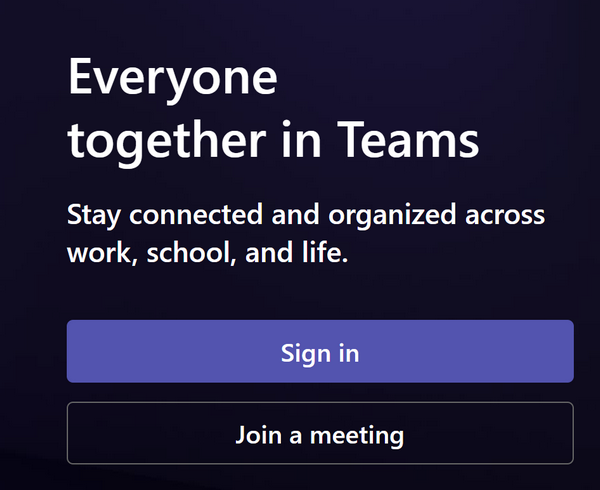
The issue was even more difficult to troubleshoot because there was no useful error message accompanying the failed login in Teams application. Fortunately it could easily be reproduced when trying to log into Teams from a private browser window. After logging in with a company Microsoft account, a page with a Sign in button showed up. Clicking the button didn't seem to do anything.
However, the browser developer tools provided more details. Each click resulted in a failed call to https://login.microsoftonline.com/{tenantId}/oauth2/v2.0/token. And the response body contained the following error message:
AADSTS500014: The service principal for resource 'https://api.spaces.skype.com' is disabled. This indicate that a subscription within the tenant has lapsed, or that the administrator for this tenant has disabled the application, preventing tokens from being issued for it.
This helped us discover that we weren't the only ones with this issue. And it identified the root cause of the error: the Microsoft Teams application has become disabled. Could we somehow reenable it?
It was time to take a closer look in the Microsoft Entra admin center. The Microsoft Teams app should be listed on the Enterprise apps page. It didn't look like it at first sight:
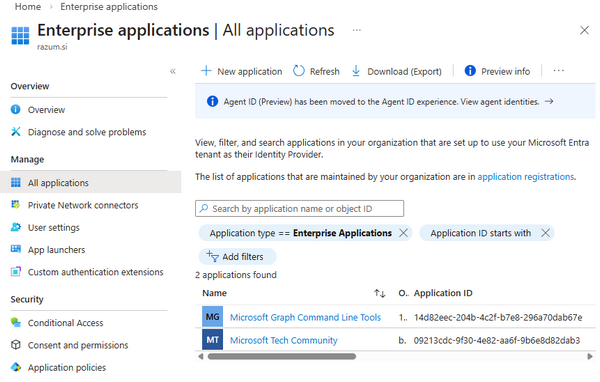
Removing the Application type == Enterprise Applications filter helped. Now, there were a lot of Microsoft Teams applications listed:
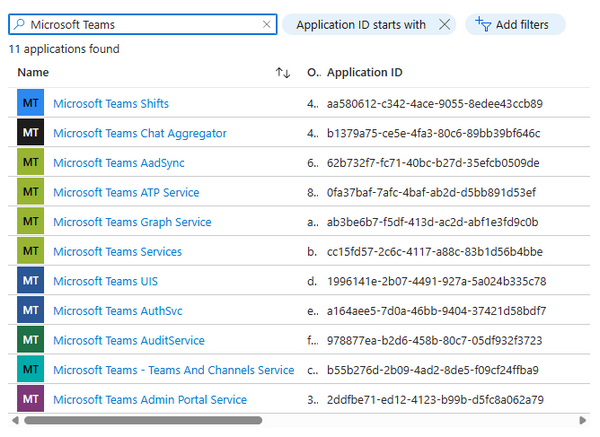
Microsoft Teams Services was the application I was looking for. On its Properties page I could see that it was Deactivated:
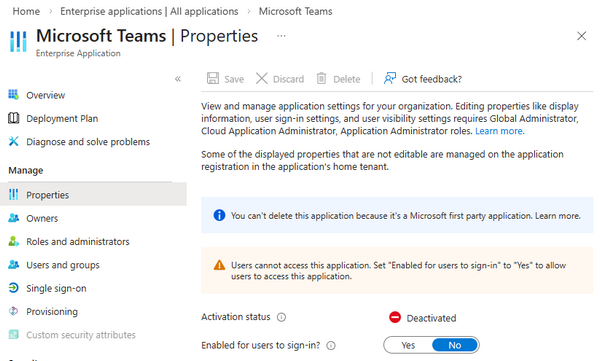
Toggling the Enabled for users to sign-in switch to Yes changed its Activation status to Activated. It was time try logging into Teams from a private browser window again. Unfortunately it still didn't work. But there was now a different error in the browser development tools:
AADSTS500014: The service principal for resource '00000003-0000-0ff1-ce00-000000000000' is disabled. This indicate that a subscription within the tenant has lapsed, or that the administrator for this tenant has disabled the application, preventing tokens from being issued for it.
Finding the right application in the Microsoft Entra Enterprise applications list was even easier this time. I could search by the Application ID value from the error message. It was the Office 365 SharePoint Service application and it was also Deactivated. I reactivated it the same way as Microsoft Teams. And I got yet another error when I tried to log in:
AADSTS7000112: Application 'a164aee5-7d0a-46bb-9404-37421d58bdf7'(Microsoft Teams AuthSvc) is disabled.
This time both the application Name and Application ID were listed in the error message. As if they were trying to make it easier for me. I reactivated Microsoft Teams AuthSvc just like the other two applications.
This finally fixed the issue for good. The login in the private browser window succeeded. I got a list of organizations I was added to. After choosing one of them I was logged into their Teams tenant. It worked from the Teams application as well. Let's just hope it stays that way.
And if not, I know what to check first. In the Microsoft Entra admin center the following Enterprise applications must be Activated (i.e., the Enabled for users to sign-in switch on the application Properties page must be set to Yes):
- Microsoft Teams Services, Application ID: cc15fd57-2c6c-4117-a88c-83b1d56b4bbe
- Office 365 SharePoint Online, Application ID: 00000003-0000-0ff1-ce00-000000000000
- Microsoft Teams AuthSvc, Application ID: a164aee5-7d0a-46bb-9404-37421d58bdf7
