JSON files in TypeScript Azure Functions
In the process of moving my blog to Azure Static Web Apps I had to troubleshoot a strange issue: according to logs the managed API Azure Functions have been successfully deployed, but according to Azure Portal there weren't any running. And I couldn't find any errors logged anywhere.
Since I was working in Visual Studio Code, I added the function to my Azure Static Web App using the Azure Static Web Apps: Create HTTP Function... command provided by the Azure Static Web Apps extension.
The template created all the plumbing for me in the api directory of my repository, including everything that was needed for building and running the functions locally: the scripts in package.json file, as well as the tasks and launch targets for Visual Studio Code. After I also installed Azure Functions Core Tools, I could run and test the function locally before deploying it to Azure.
My code depended on some static data in a JSON file, which I imported into my source code file. While I did it using the resolveJsonModule compiler option, the Azure Function worked as expected.
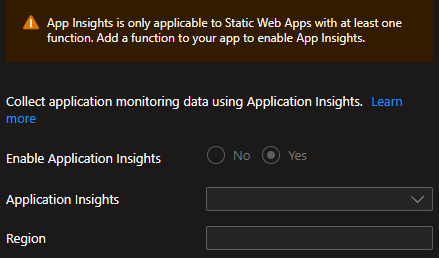
But once I used the allowArbitraryExtensions compiler option instead, to allow for custom type definition for my JSON file, the Azure Function was simply gone: Any calls to it returned 404 and the APIs settings page of my Azure Static Web App didn't show any deployed functions. To make matters worse, I couldn't find any error logs anywhere: not in Azure Portal and not in GitHub Actions which I used for deployment. I couldn't even enable Application Insights in the Azure Static Web App settings, because I supposedly didn't have any functions:
Fortunately, I could reproduce the issue by trying to run the function locally. It failed to run with the following error:
Worker was unable to load entry point
dist/src/functions/persons.js: Cannot find module./persons.json
Further research revealed that the build script copied the JSON file to the output folder as long as it depended on the resolveJsonModule compiler option, but not anymore after I started relying on the allowArbitraryExtensions compiler option to use custom type definitions.
Two scripts from the generated packages.json file were relevant for my issue:
{
  "scripts": {
    "build": "tsc",
    "watch": "tsc -w"
  }
}
The build script was used during deployment, and the watch script was used when running the function locally. Both simply invoked the TypeScript compiler to generate the JavaScript files and copy the results to the output folder. I guess, the compiler copies the JSON files which are resolved as JSON modules but no the ones which are considered having arbitrary extensions.
I wasn't really keen on introducing a bundler for the build process, so I decided to simply copy the JSON files across during the build process as suggested by Jan Asgaard in his blog post. I installed the copyfiles package:
npm install --save-dev copyfiles
And used it to copy the JSON files from the relevant script files:
{
  "scripts": {
    "build": "tsc && copyfiles \"src/**/*.json\" dist",
    "watch": "copyfiles \"src/**/*.json\" dist && tsc -w"
  }
}
In the build script, I could run it after the compiler was done, but in the watch script I had to do it before invoking the compiler because its process kept running to watch for file changes. My approach also meant that the JSON files were not going to be updated automatically in the output folder if I changed them while the the compiler file watch was active. That was good enough for me.
With this change, the function worked again after the next deploy to Azure Static Web Apps.
You can find a sample project in my GitHub repository. Individual commits follow the steps described in this post:
- a working function using
resolveJsonModule, - a broken function using
allowArbitraryExtensions, - and a working function again with the modified
buildandwatchscripts.
The repository also includes a GitHub Actions workflow to deploy the sample site with the function to Azure Static Web Apps. Of course, you'll have to create your own Azure Static Web App in order to do that, and store the deployment token for it in the AZURE_STATIC_WEB_APPS_API_TOKEN secret in GitHub Actions.
I find it interesting that the handling of JSON files by the TypeScript compiler depends on how you import them into the source code file. In a way, that is also documented, although it might not be obvious until you are aware of that behavior:
By default, this import will raise an error to let you know that TypeScript doesn’t understand this file type and your runtime might not support importing it. But if you’ve configured your runtime or bundler to handle it, you can suppress the error with the new
--allowArbitraryExtensionscompiler option.
Although using a bundler would be a proper solution in such a case, I find it an overkill for my scenario. Simply copying the files to the output folder works well enough for now. I can always introduce a bundler in the future if I need to.
