Manually trigger workflow from non-main branch
As a part of migrating my blog to Azure Static Web Apps, I also had to modify my GitHub Actions deployment workflow. Usually, I only want the deployment to get triggered from the main branch but during development I wanted it to run from the feature branch so that I could test it. Adding a workflow-dispatch trigger seemed the least invasive approach to achieve that as I could trigger it manually when I wanted to test it. Unfortunately, it didn't work as I expected.
A workflow-dispatch trigger allows a workflow to be triggered manually. When such a trigger is present in a workflow, GitHub adds a Run workflow button to its web page. In the button dropdown, the branch to run the workflow on can be selected and the values for all the workflow inputs can be set.
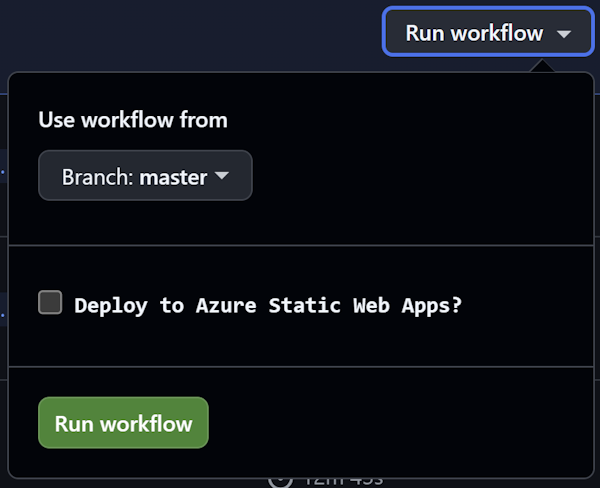
However, I had no such button available for my workflow even after I added a workflow-dispatch trigger to it. As I learned later, it was because I only had the workflow-dispatch trigger on the feature branch and not on the main branch, and button only show up when the trigger is present in the main branch. Of course, I didn't want to add it to the main branch, as I wanted to test everything in the feature branch first.
Fortunately, a workflow with a workflow-dispatch trigger on a non-main branch can still be triggered for that branch in other ways:
- with a REST call, or
- with GitHub CLI.
Since I'm already using GitHub CLI to create repositories for sample code for my blog posts, I liked the second option better. And it was indeed very easy to use. Since my GitHub CLI was already authenticated, I could simply invoke gh workflow run from my local repository folder and specify the workflow file, the branch and the input values, e.g.:
gh workflow run build.yml --ref feature/azure-static-web-app -f deploy=true
It turned out that once you know how, it's even easier to manually trigger a workflow with GitHub CLI than via the web page. I'm likely going to use it now even when I could run it from the web page just because it's more convenient.
